
Full control over Spotless Java code style


Spotless has become a more and more popular and standard tool for Java code formatting at Grammarly. It is usually trivial to set up, but it has some quite opinionated defaults. I want to share an interesting way we've found to go all the way in the opposite direction and make every possible parameter of code style configurable.
🙂 What are defaults?
Spotless has built-in support for two popular style guides: from Google and Palantir.
Some of our projects prefer the Google Java Style guide:
spotless {
    java {
        target '**/*.java'
        importOrder()
        removeUnusedImports()
        googleJavaFormat().aosp().reflowLongStrings()
    }
}
Others prefer the Palantir Style guide:
spotless {
    java {
        targetExclude '**/build/**/*'
        trimTrailingWhitespace()
        importOrder()
        removeUnusedImports()
        palantirJavaFormat()
        formatAnnotations()
    }
}
In both cases, enabling style guide is a matter of one line, but Spotless allows also to tune defaults a bit, as you see from other configuration lines.
Google has a famous practice of compiling opinionated style guides for all programming languages they use and making them public. You can read through their Java style guide here:
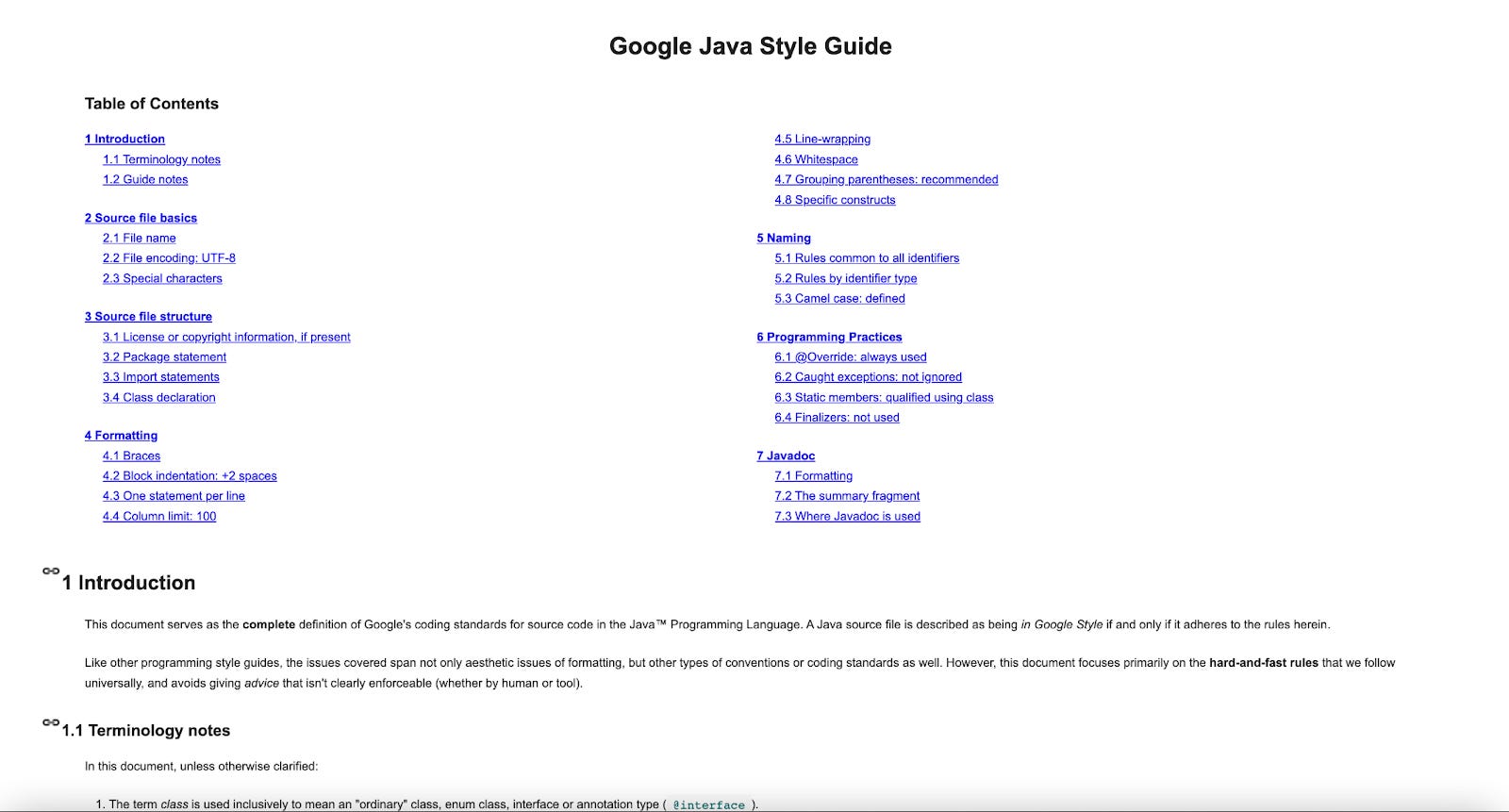
Spotless adopted the Google style guide and made it available as a built-in formatter.
Palantir was not entirely happy with some of the Google choices, so they forked their style guide, made some changes, and published it as well. You can read about their motivation here:
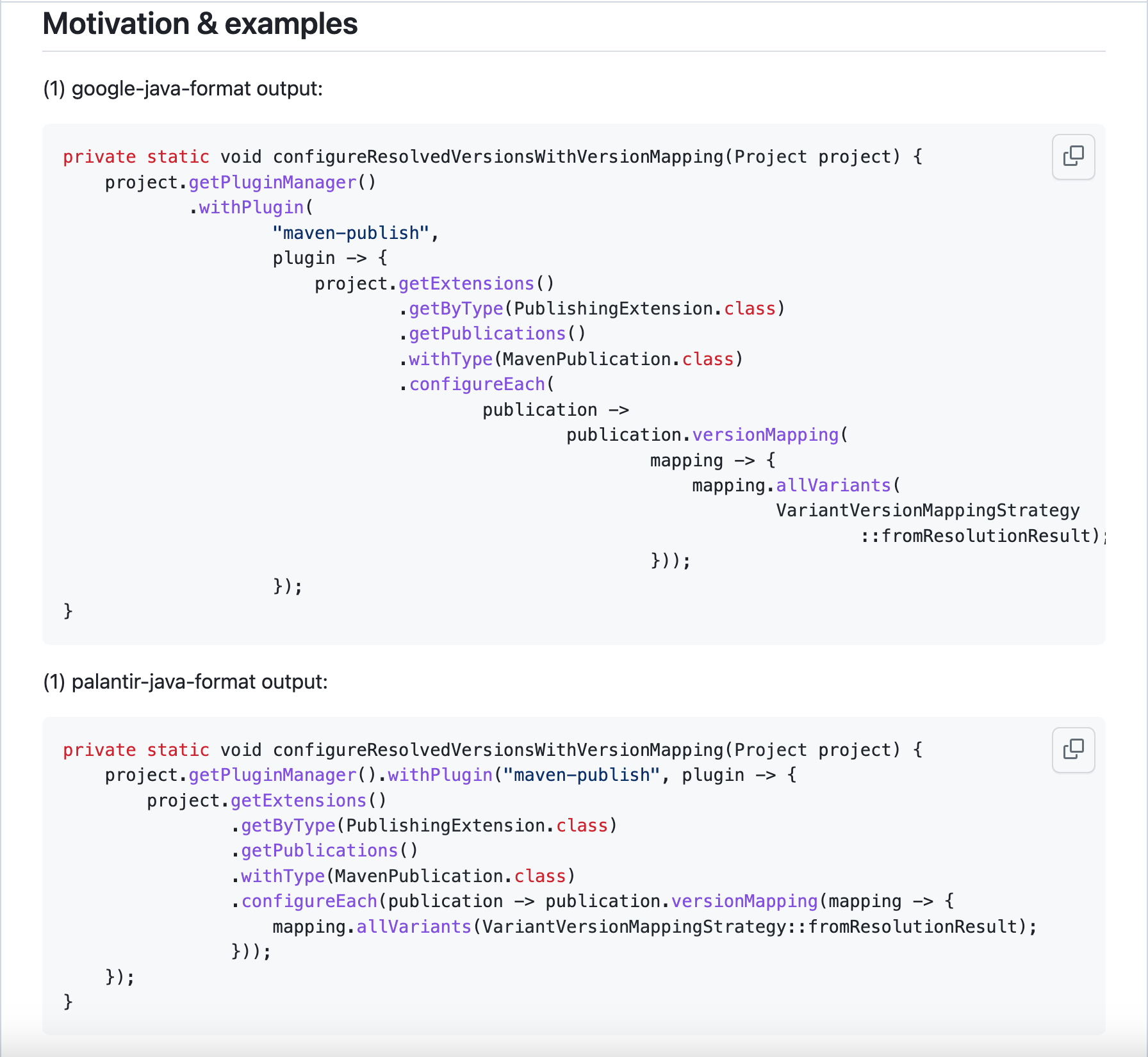
This fork become pretty popular and is also available as a built-in formatter in Spotless.
My team also was not 100% happy with either Google or Palantir style guides. Is there a way for us to tune one of them for our preference? Of course, except for publishing our own fork of the style guide and waiting until Spotless adopts it :)
👘 Personal style guide
Here is a step-by-step guide on creating your own Spotless style guide. We can do it with the help of an old friend no one is ever supposed to see again in their life:
Step 1: Drum roll, please... Install Eclipse:
brew install --cask eclipse-javaStep 2: Become confused again about the workspaces concept. Input some random path (it will not be used at all) and click "Launch":
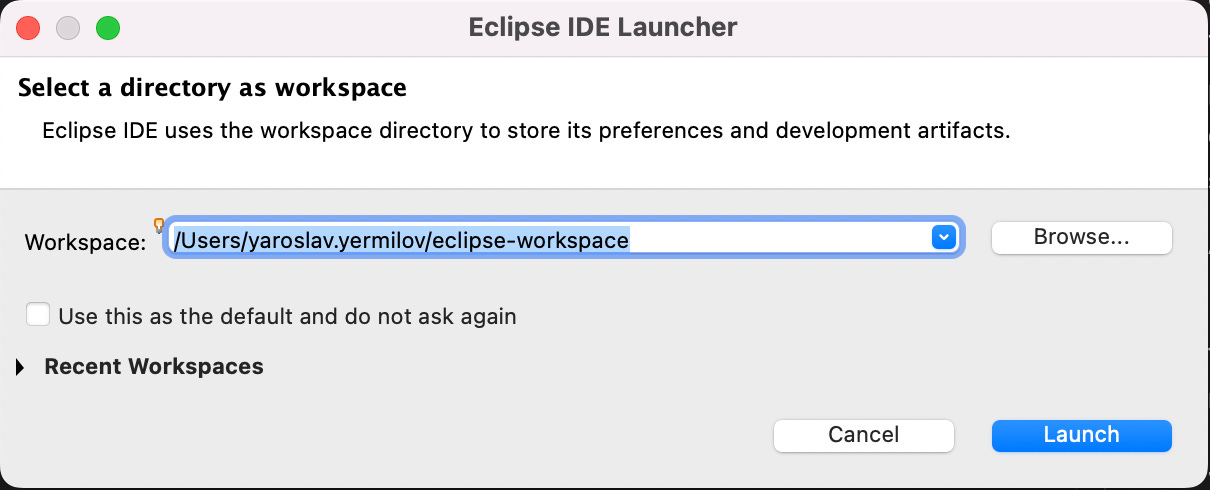
Step 3: Open "Preferences":
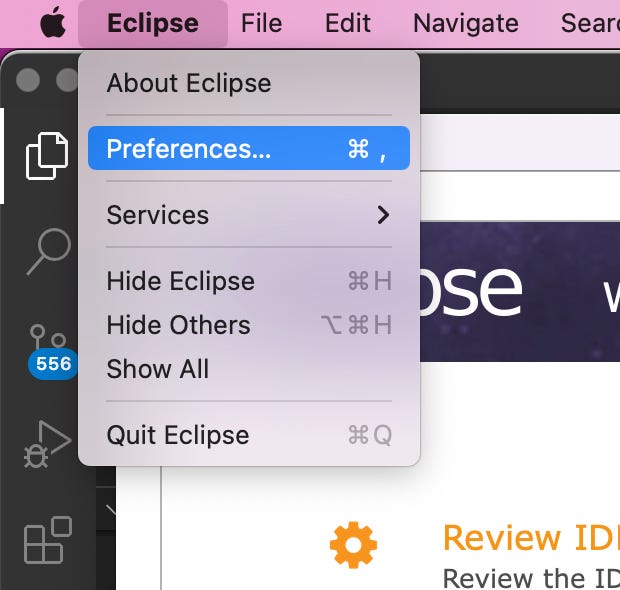
Step 4: Go to "Java" -> "Code Style" -> "Formatter" and click "New" (you can use the existing format as a base):
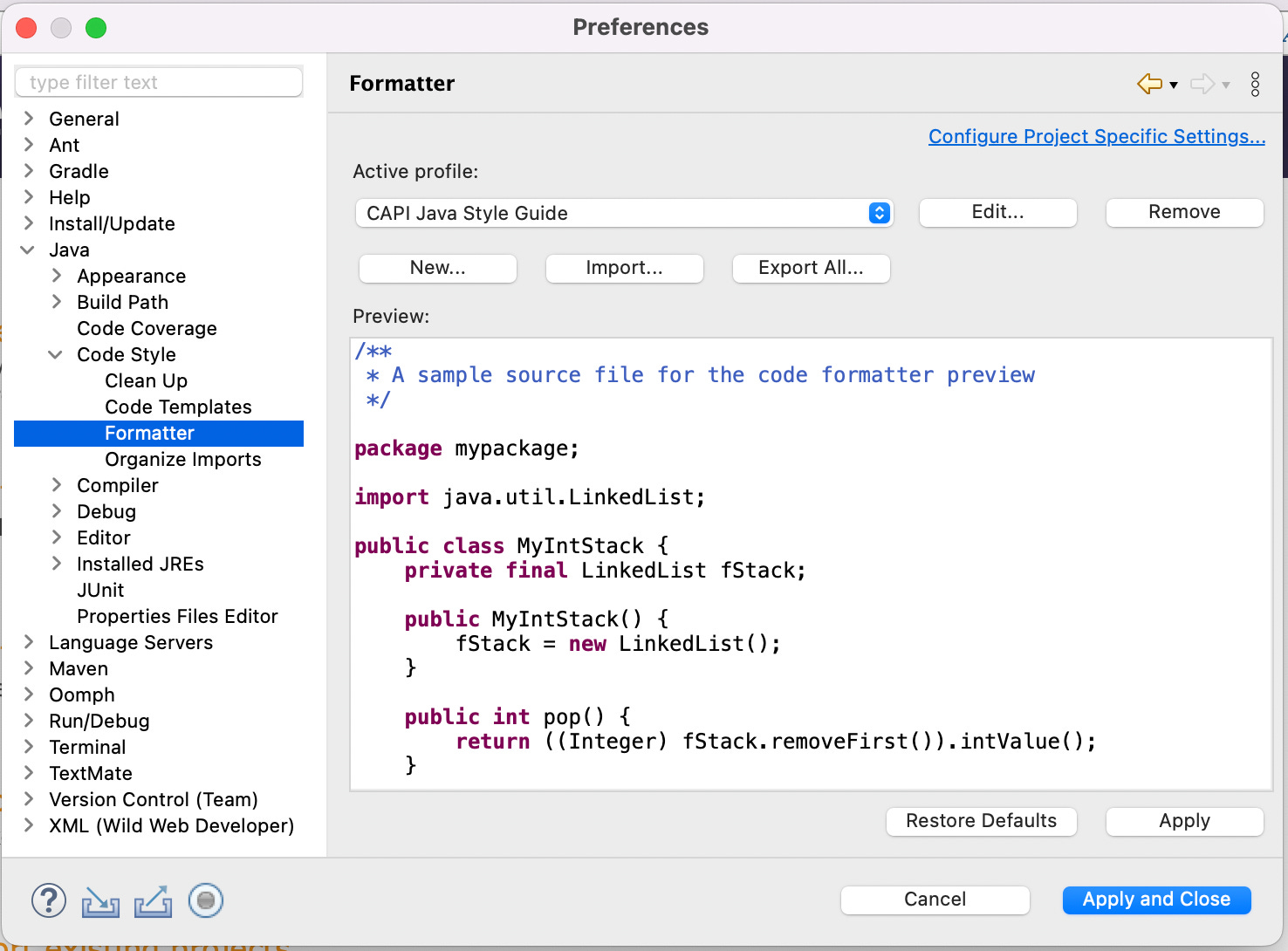
Step 5: After you click "Edit" you will find an endless amount of knobs to tune your code style with a very convenient WYSIWYG preview:
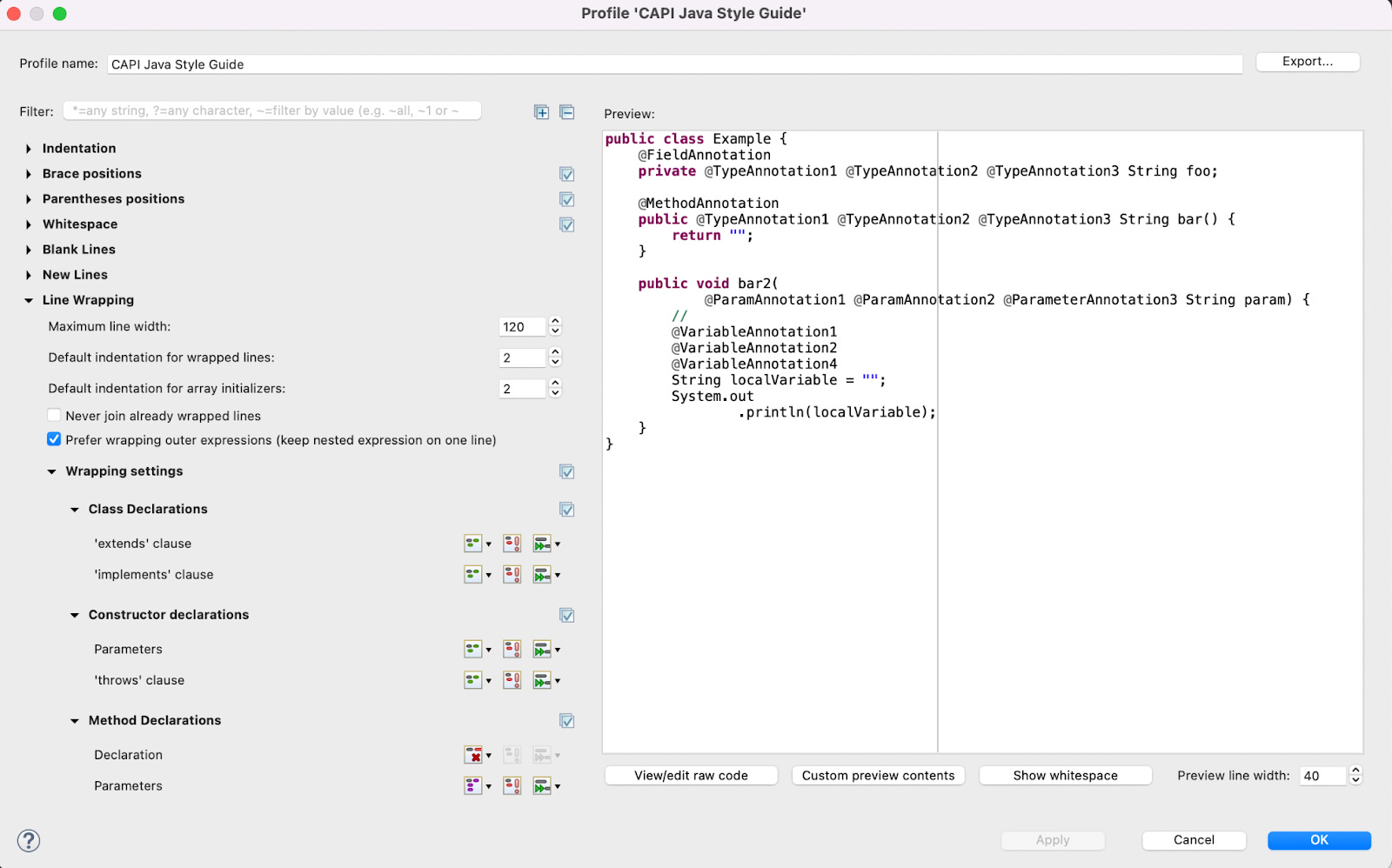
Step 6: After you are done with tuning, click "OK" and then "Export all...". You will get an XML file with your own code style:
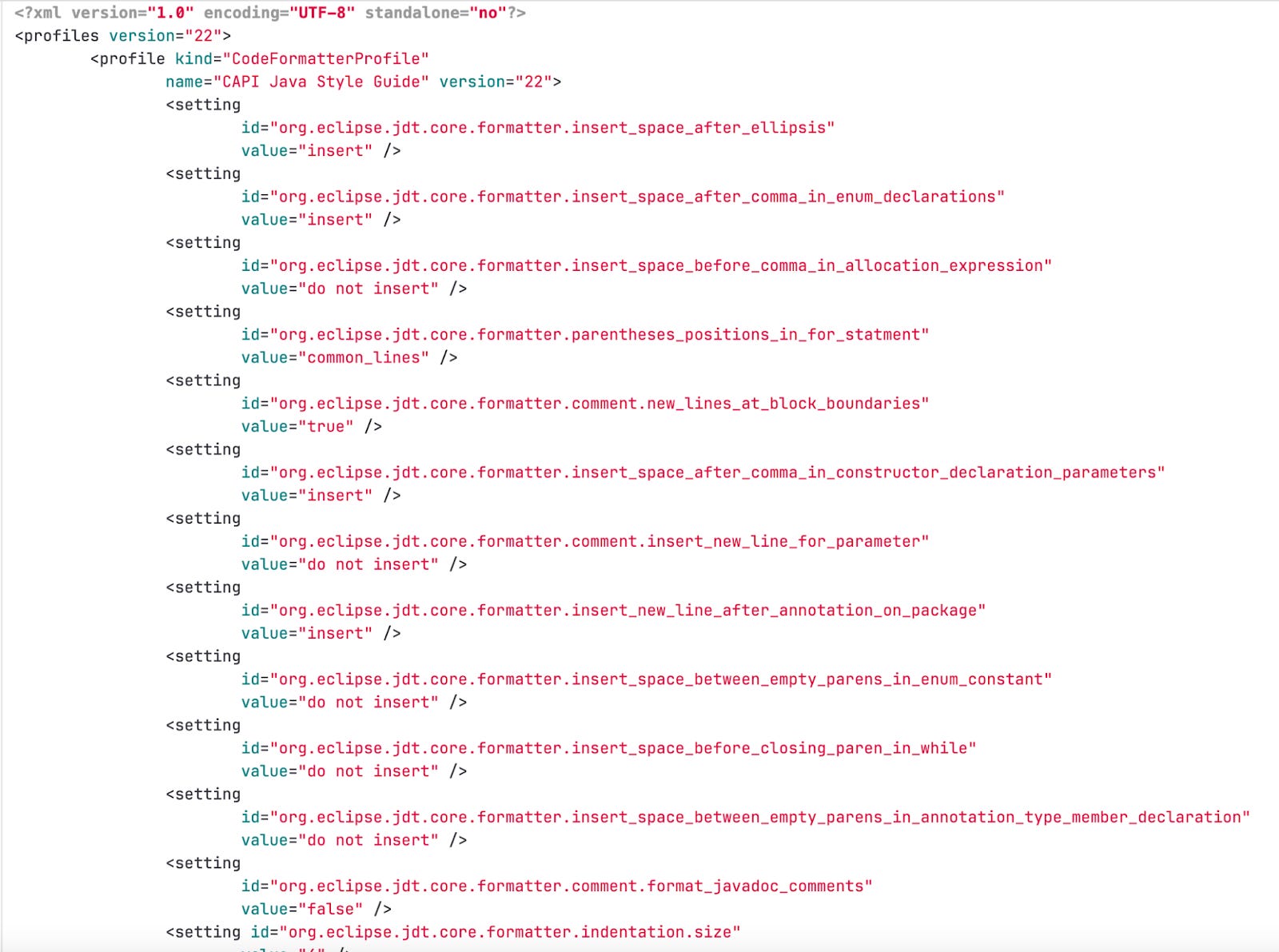
Step 7: Now it is just as easy to integrate with Spotless as Google or Palantir style guides:
spotless {
    java {
        eclipse().configFile(rootProject.file('gradle/eclipse-formatter-settings.xml'))
        removeUnusedImports()
    }
}
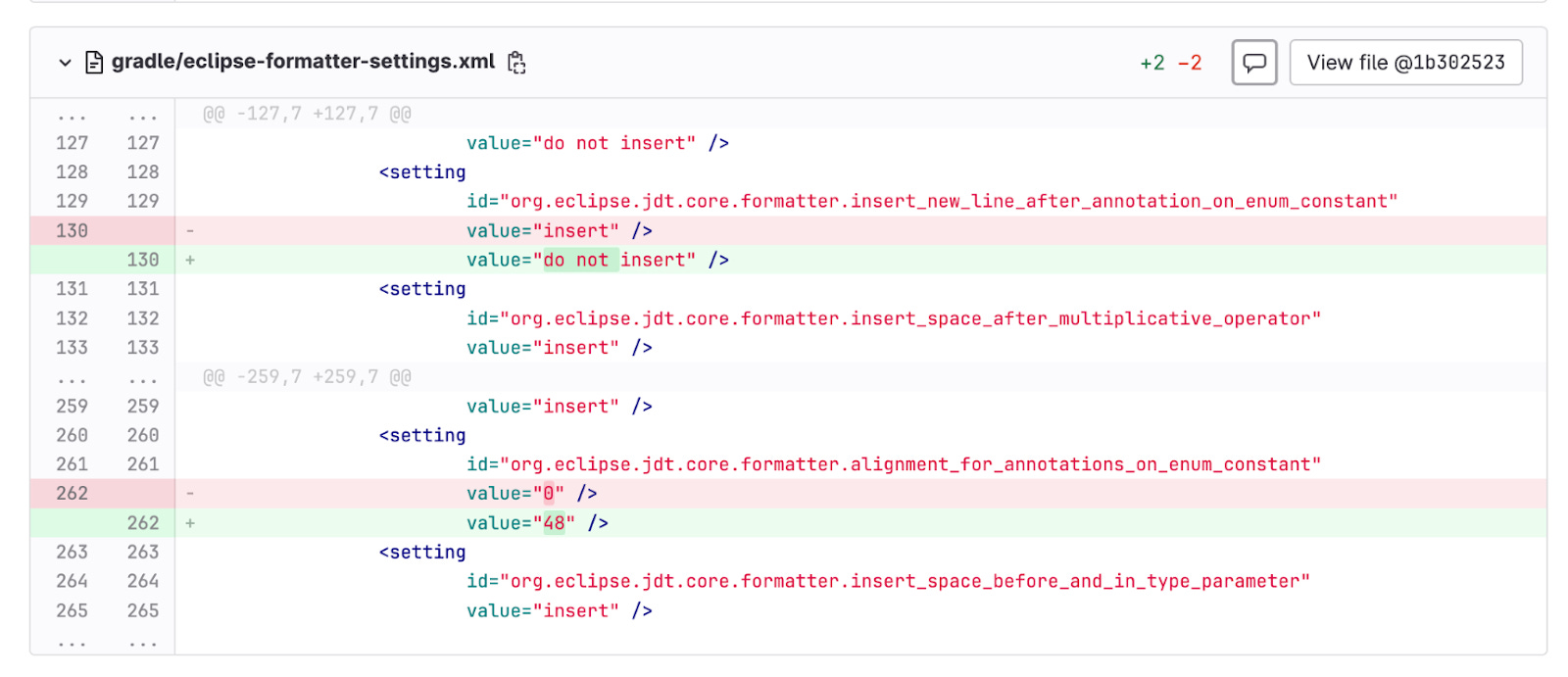
Step 8: Bonus point: changing in the style guide can now be reviewed:
👮 Enforcing code style
How do we ensure that everyone uses the style guide (always runs ./gradlew spotlessApply after every change)? A note in documentation? A checklist item in the merge request review process? Relying on human action is prone to people forgetting, being in a hurry to release something, etc.
People on the internet seem to advise to use pre-commit hooks for it:
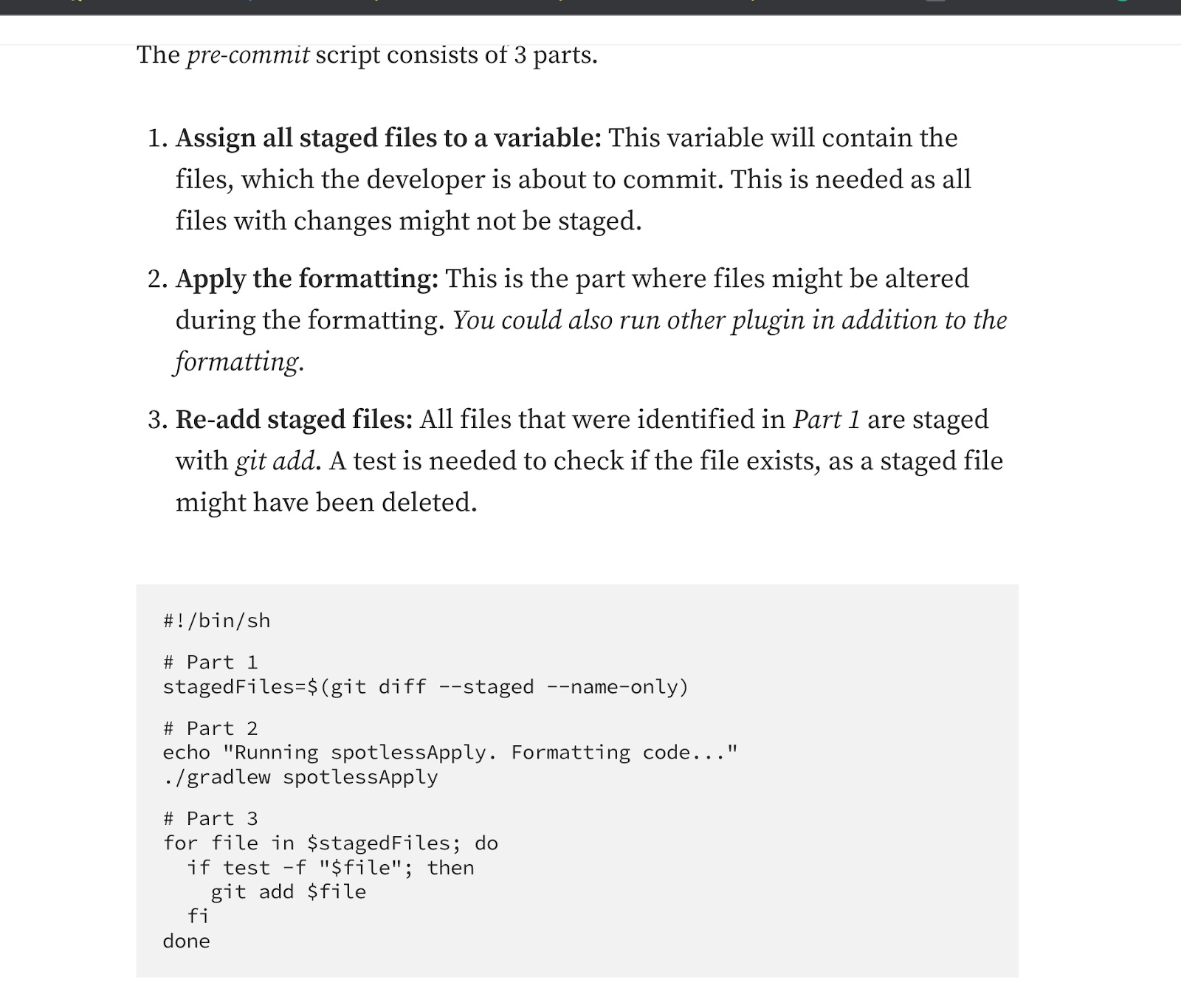
This is actually not the best idea. The first problem is that pre-commit hooks are still not fully automated. Every developer has to enable them manually. People on the internet advise quite a creepy way to fix it by secretly enabling pre-commit hooks every time the developer compiles the project:
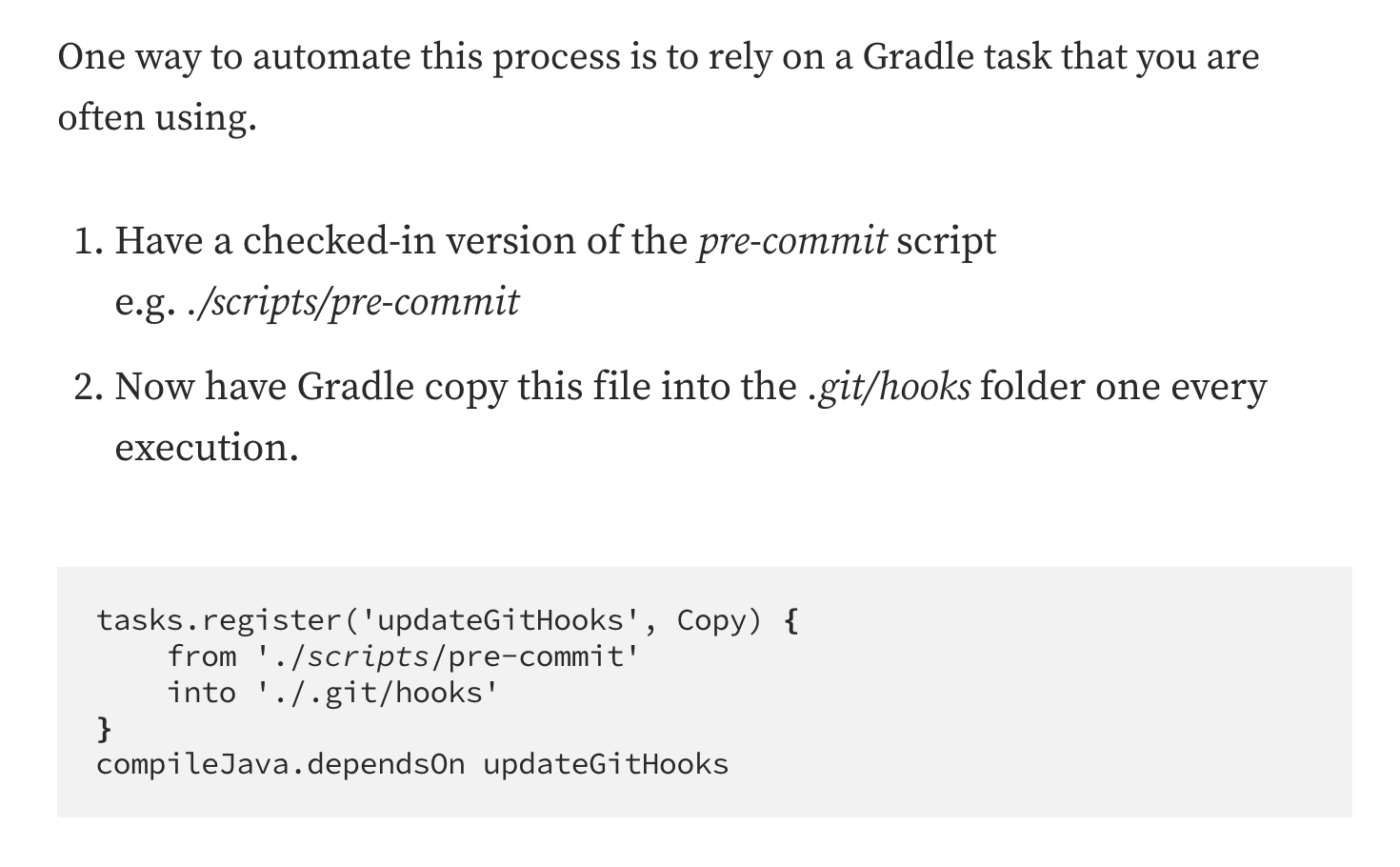
Please don't ever do that :) It makes another big problem with pre-commit hooks even worse: if something goes wrong, developers will not be able to commit their changes (including fixing the original problem).
What can go wrong? It is hard to test pre-commit hooks, so there is a high chance of some bugs. I recommend using pre-commit to avoid at least some of the problems (for example, handling partially staged changes):
repos:
  - repo: local
    hooks:
      - id: spotless-apply
        name: Apply Spotless Formatting
        description: This hook applies Spotless formatting.
        entry: scripts/pre-commit/spotless-apply.sh
        language: system
        pass_filenames: false
But even with the pre-commit tool, there is still some magic you need to organize in your script:
#!/usr/bin/env bash

# heavily inspired by https://github.com/gruntwork-io/pre-commit/blob/master/hooks/terraform-fmt.sh

set -e

# OSX GUI apps do not pick up environment variables the same way as Terminal apps and there are no easy solutions,
# especially as Apple changes the GUI app behavior every release (see https://stackoverflow.com/q/135688/483528).
# As a workaround to allow OSX GUI to work, add this (hopefully harmless) setting here
original_path=$PATH
export PATH=$PATH:/usr/local/bin

# If JAVA_HOME is not set (because of the same problem as above) - hope that sdkman is installed
if [ -z "$JAVA_HOME" ] ; then
    export JAVA_HOME=~/.sdkman/candidates/java/current
fi

hook_error=0

./gradlew spotlessApply || hook_error=$?

# reset path to the original value
export PATH=$original_path

exit ${hook_error}
Another problem with pre-commit hooks is that if they are slow, every commit becomes painful. And the combination of JVM, Gradle, and Spotless is quite slow indeed. My recommendation is to set up a pre-commit hook but leave it up to every developer to decide whether to enable it or not.
So getting back to the original question: how do you make sure that everyone actually uses the style guide? We use GitLab gate for it:
check code style:
  extends: .gradle_template
  stage: check
  needs: []
  dependencies: []
  script:
    - ./gradlew spotlessCheck -no-daemon || { echo -e "\033[31;1mCode styling is not applied. Please run ./gradlew spotlessApply or setup pre-commit hook as described in https://core.gpages.io/common-api/setup-dev-environment#pre-commit.\033[0;m"; exit 1; }
  retry:
    max: 2 # sometimes fail with `java.io.IOException: Failed to load eclipse groovy formatter: java.lang.RuntimeException: java.io.IOException: Received 502 from https://groovy.jfrog.io/artifactory/plugins-release/org/codehaus/groovy/groovy-eclipse-integration/4.9.0/e4.27/p2.index`
What is essential for developer experience is that if it fails, we print the message with instructions on how to fix it. Now we can be 100% sure all code in the main branch is formatted according to our style guide.
👹 Introducing code style
If you set up formatting for an existing project, you will probably not feel the pain of introducing code style to the project for the first time after a couple of years of development. Spotless allows to apply code style only to changed files using ratchet mode. It is pretty helpful for the first week or two of introducing code style to the project to make sure your custom style guide actually matches your expectations. But with time, it becomes a problem: every merge request mixes actual changes and applying code style to new files. So my final recommendation is after a week or two, rip off the band-aid and apply code style to the whole project:
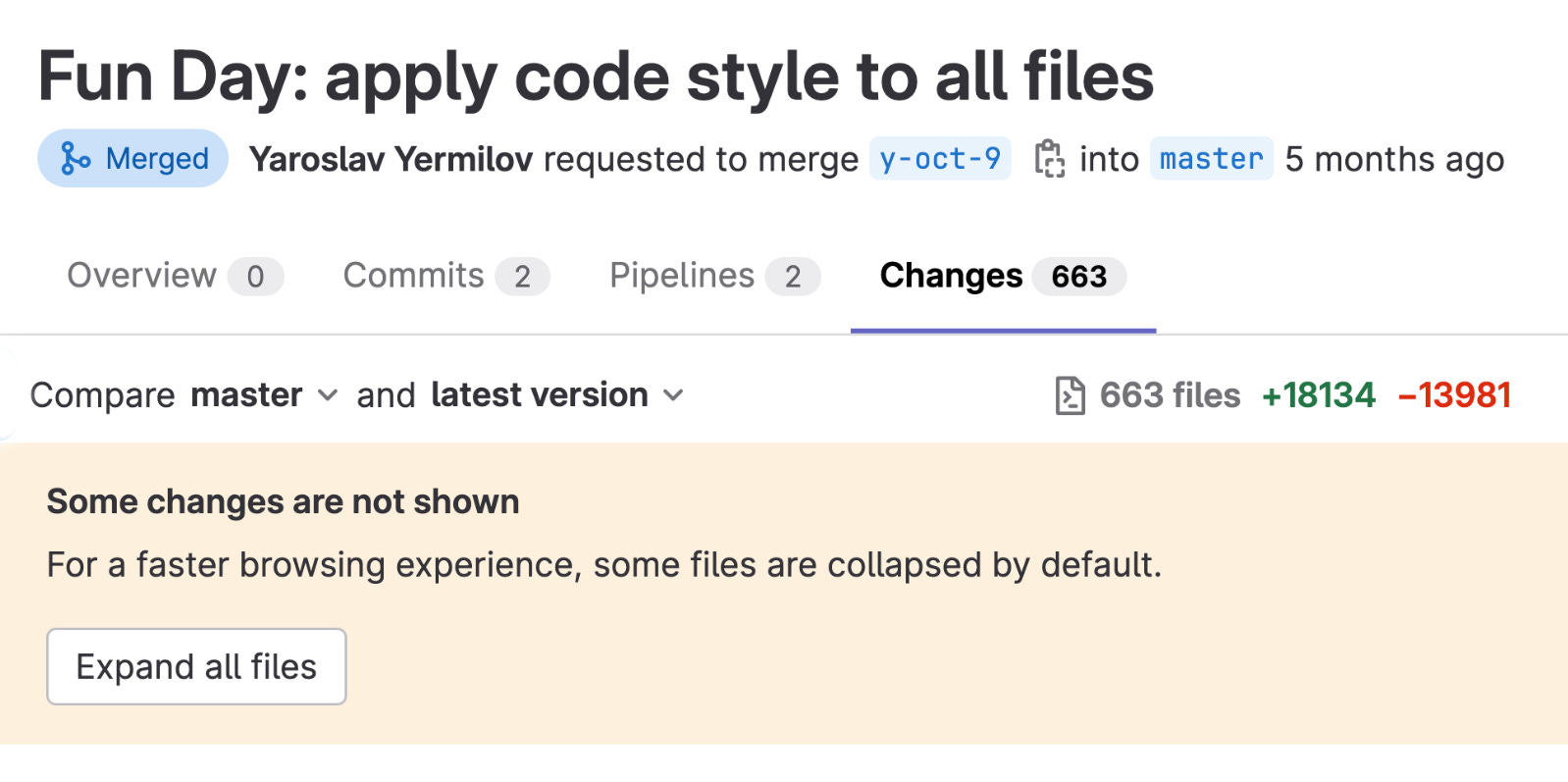
Bonus point: you have just become the top contributor of your project :)